资产与账户Assets & accounts
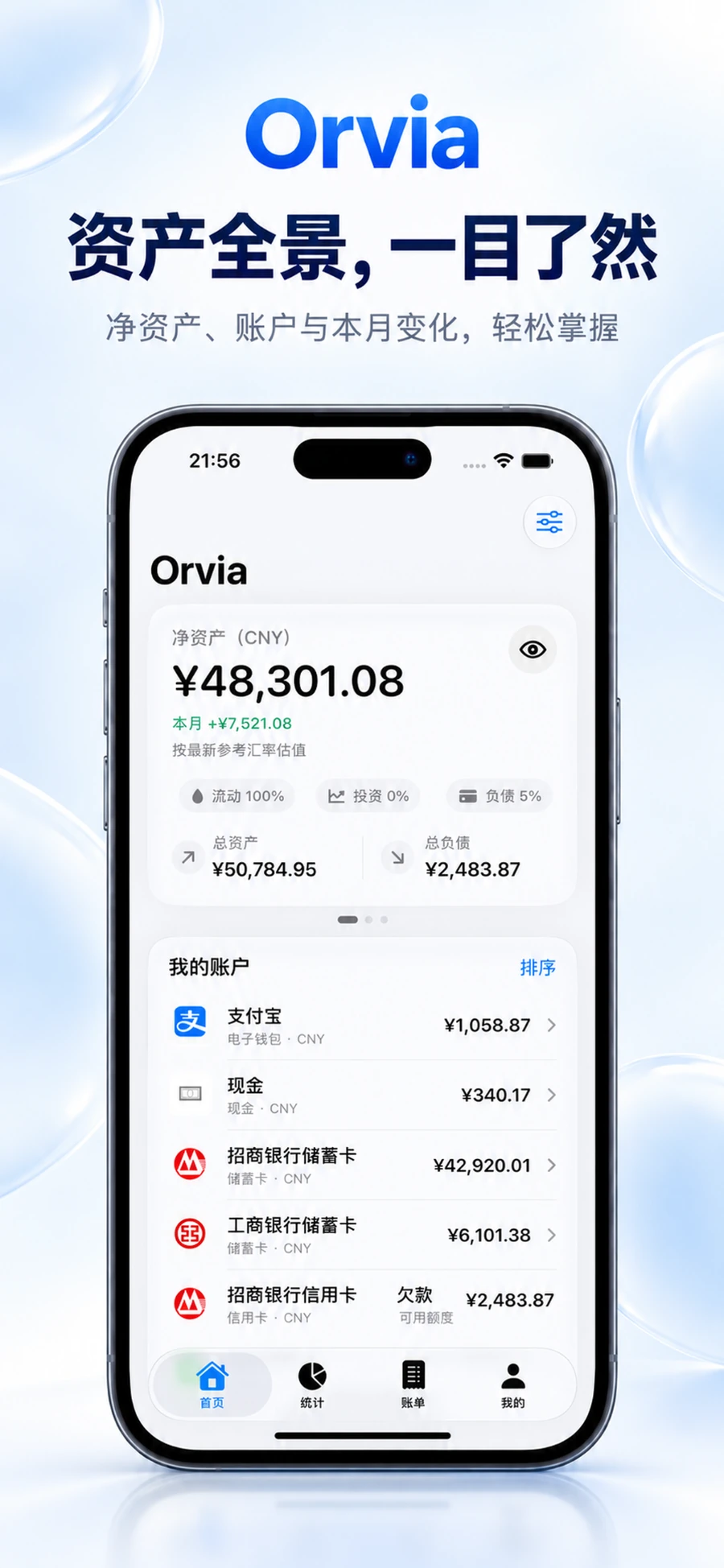
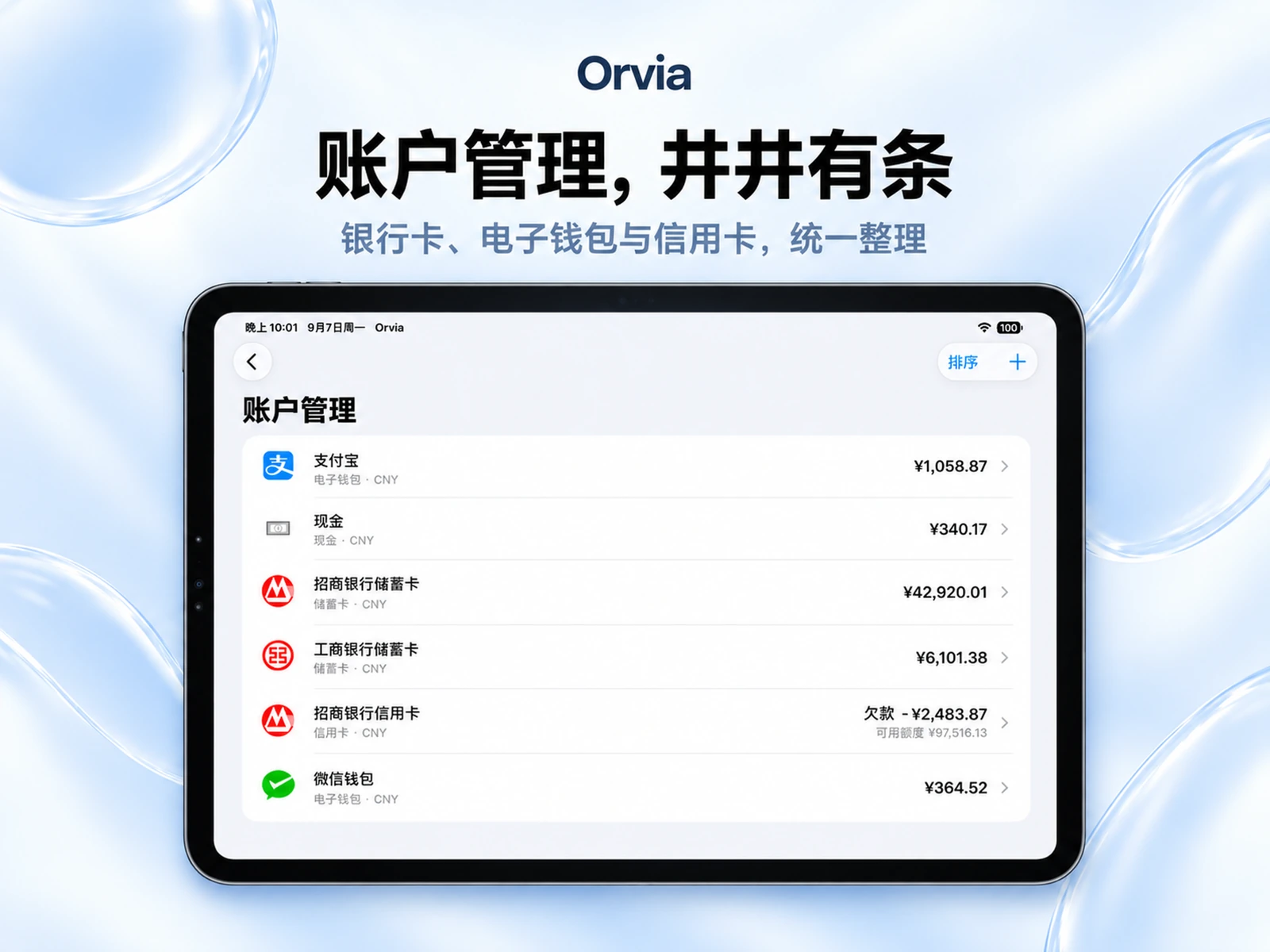
储蓄、信用卡、现金、电子钱包、投资与负债统一整理。
Organize savings, cards, cash, wallets, investments, and liabilities together.
HAMIZ DEV / SOFTWARE FOR APPLE PLATFORMS
Hamiz DEV 为 Apple 平台打造专注而克制的软件。Orvia记账让个人财务更清楚,Solyra 让课程与时间更有秩序。
Hamiz DEV creates focused software for Apple platforms. Orvia brings clarity to personal finance. Solyra keeps courses and time in order.
Orvia 为真实产品展示 · Solyra 当前为界面示意Orvia uses real product visuals · Solyra is currently an interface illustration

ORVIA / PERSONAL FINANCE
Orvia记账OrviaOrvia 把记账、账户、统计、预算与智能洞察带到 iPhone、iPad 与 Apple Watch,在同一套清晰的结构里看懂日常财务。
Orvia brings logging, accounts, analytics, budgets, and smart insights to iPhone, iPad, and Apple Watch in one coherent system.
储蓄、信用卡、现金、电子钱包、投资与负债统一整理。
Organize savings, cards, cash, wallets, investments, and liabilities together.
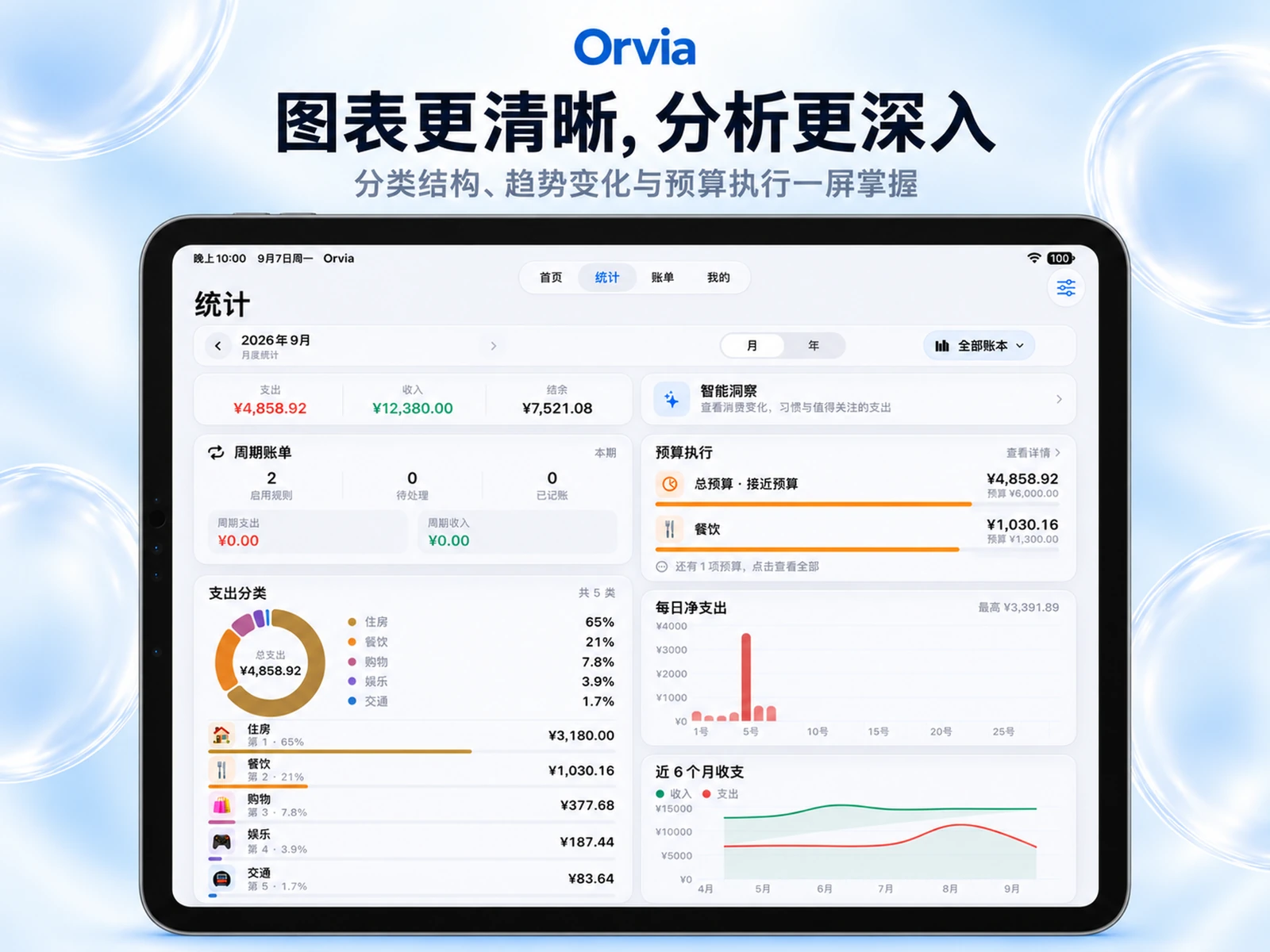
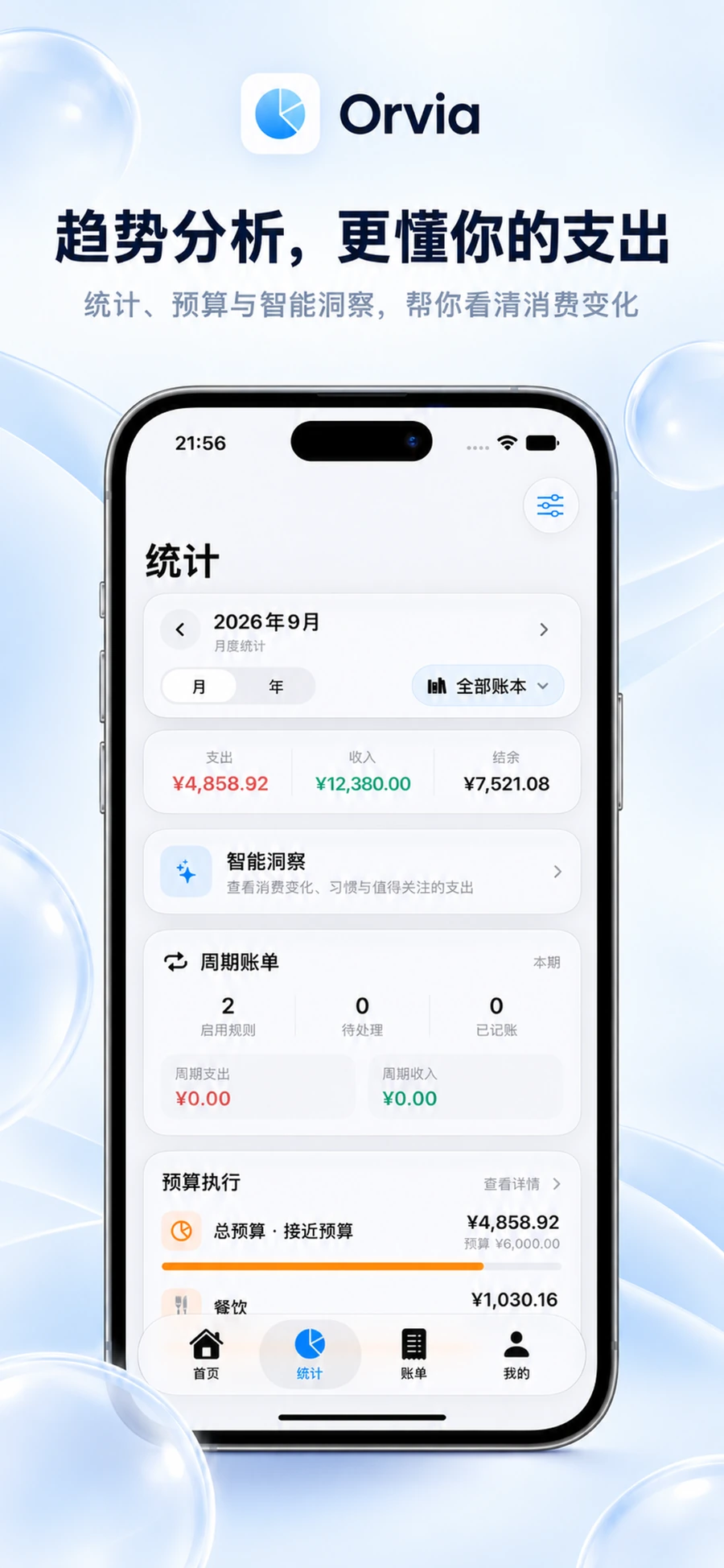
从月度节奏到分类结构和趋势变化,一屏掌握关键数据。
See monthly pace, category structure, and trends without losing context.
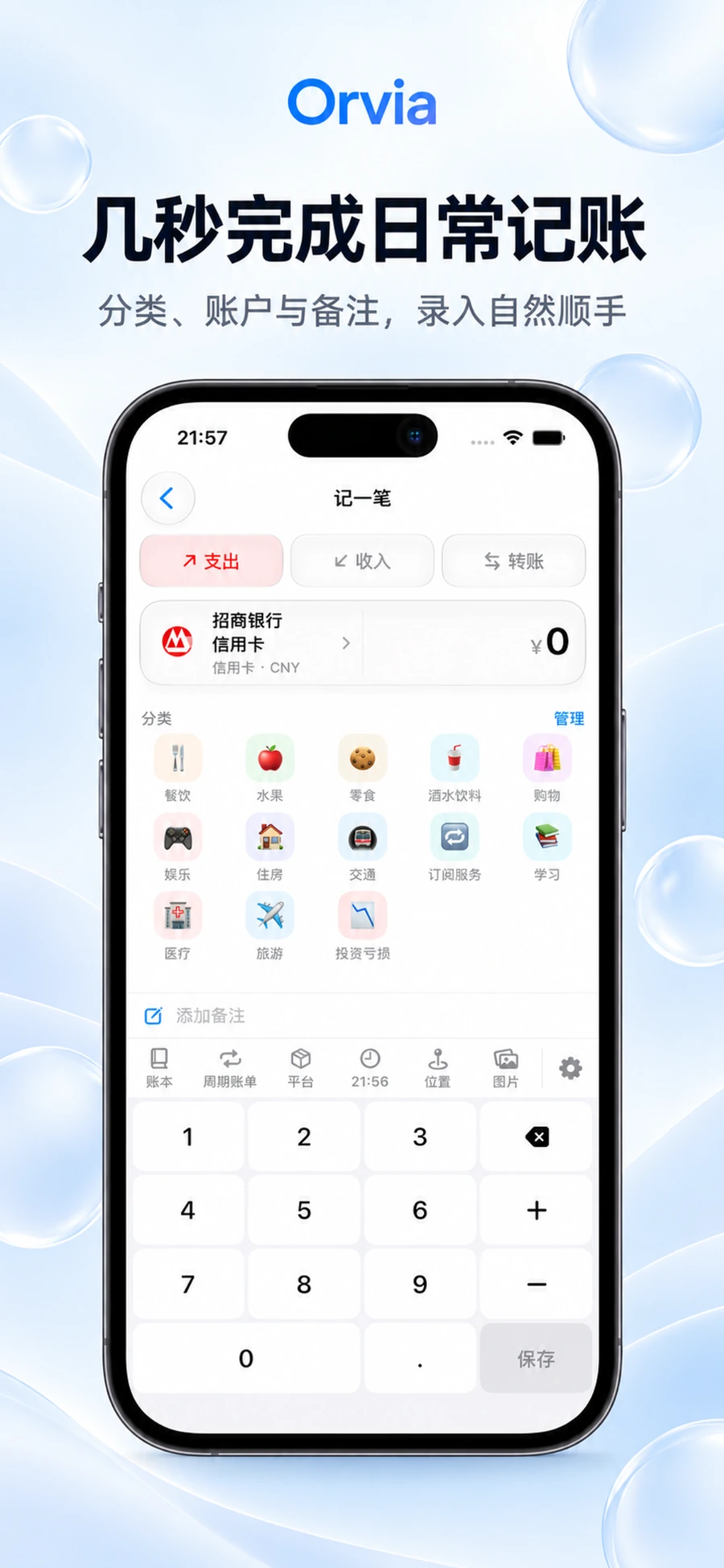
iPhone 单屏流程与 Apple Watch 快速记一笔,让记录更顺手。
A focused iPhone flow and quick Apple Watch entry keep logging effortless.
ORVIA / IPAD
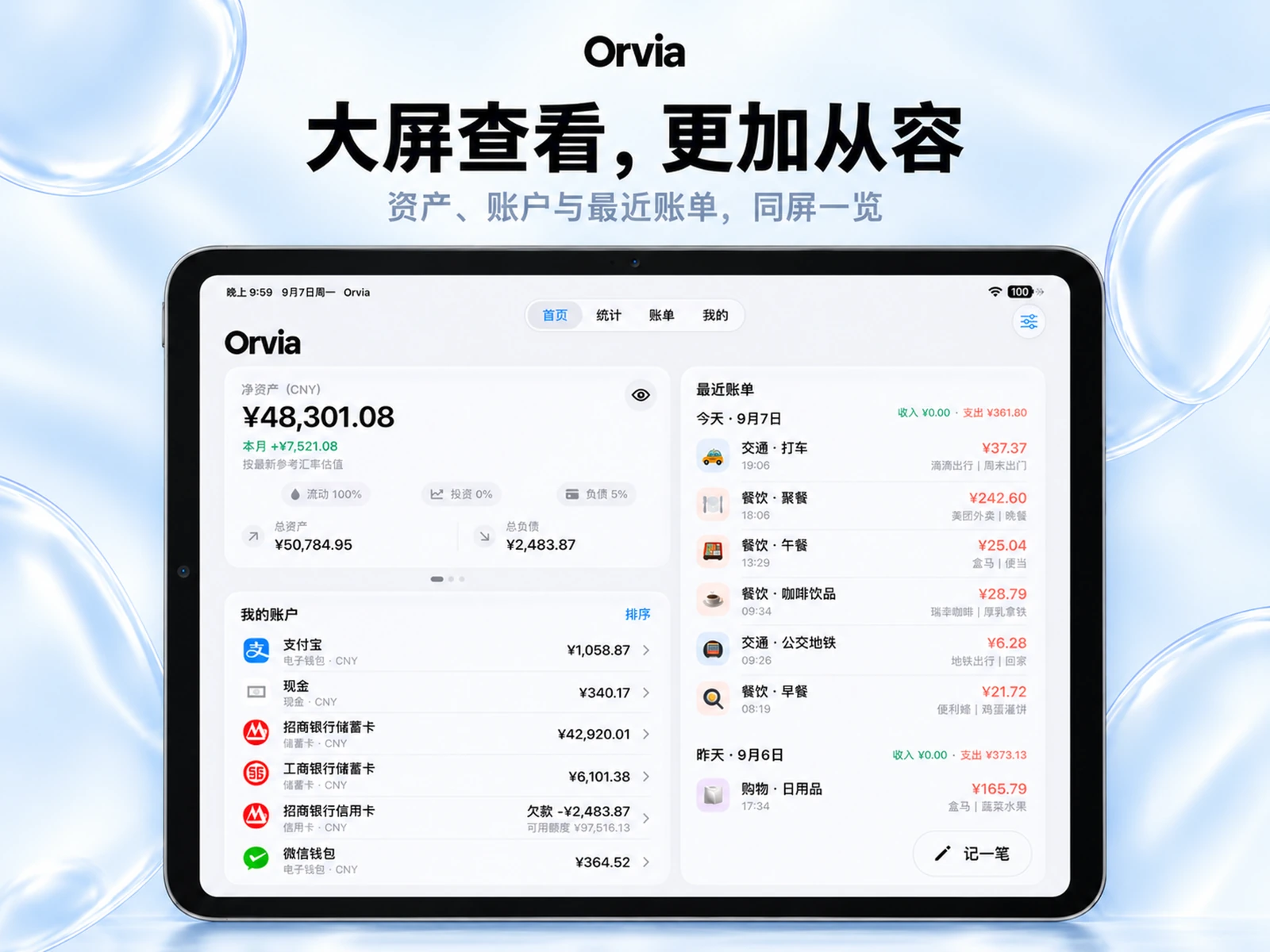
资产、账户、最近账单、分类结构、趋势与预算执行,在 iPad 上一次展开。
Assets, accounts, recent bills, categories, trends, and budget progress unfold together on iPad.
ORVIA / APPLE WATCH
查看本月支出、掌握消费节奏,或者直接在手腕上快速记一笔。常用能力离你更近一步。
Check monthly spending, keep pace with your budget, or log a transaction directly from Apple Watch.
快速查看支出曲线、金额与交易数量。
See your spending curve, total, and transaction count quickly.
类型、金额与账户在手腕上完成,不必先打开手机。
Choose type, amount, and account without opening your phone first.


ORVIA / EVERYDAY FLOW
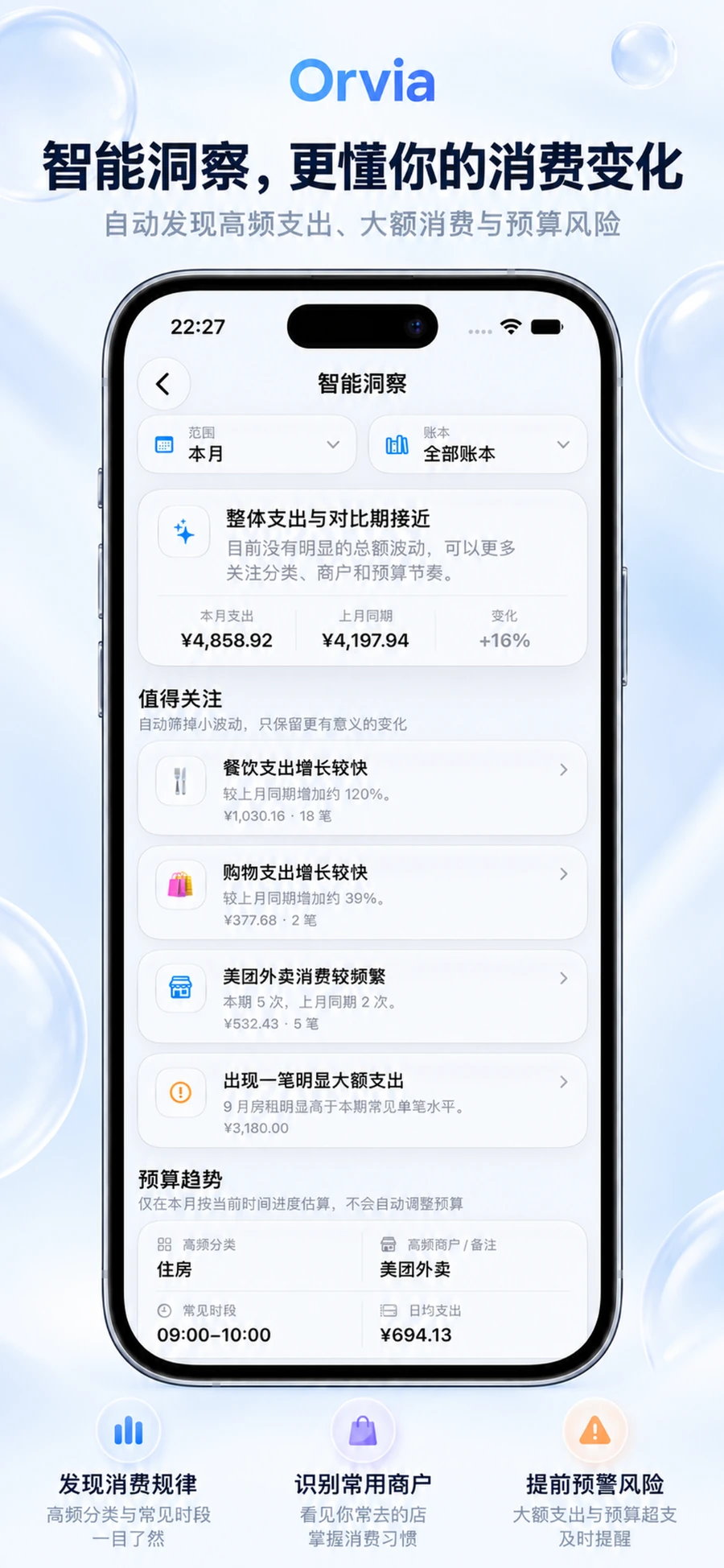
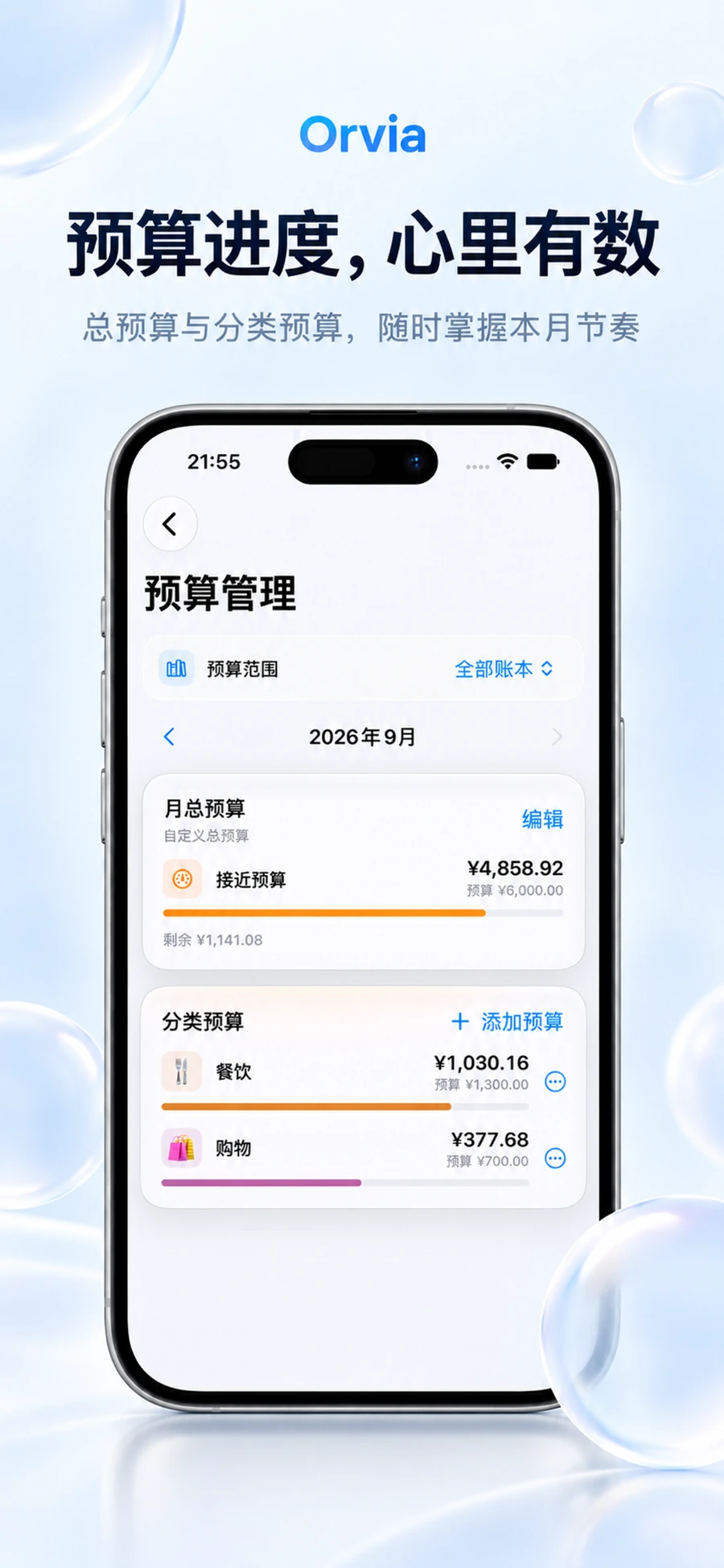
快速记账、趋势分析、智能洞察与预算管理,不是分散的工具,而是一条连续的财务工作流。
Fast entry, trend analysis, smart insights, and budgets work together rather than as isolated tools.
ORVIA / COMMUNITY
 会员福利
MEMBER BENEFIT
查看当前 Orvia Pro 福利活动、领取方式与活动说明。
View current Orvia Pro benefits, eligibility and redemption details.
正在招募
RECRUITING
提前体验正在开发的新功能,与我们一起完善下一版 Orvia。
Try upcoming features early and help shape the next version of Orvia.
ORVIA / PRIVACY & SYNC
Orvia记账以设备本地体验为基础,需要时再使用你选择的 Apple 服务完成同步。导入、导出与完整备份让数据保持可迁移。
Orvia is built around on-device use, with Apple services used for sync only when you choose. Import, export, and full backups keep your data portable.
核心账务体验以设备本地数据为基础。
Core finance workflows are grounded in on-device data.
iCloud 同步是否开启,由你控制。
You decide whether iCloud sync is enabled.
支持导入、导出与完整备份恢复。
Import, export, and full backup/restore keep data portable.
SOLYRA / COURSE & TIME
界面示意Interface illustration
SOLYRA / TODAY
Solyra 用 Today、Timeline 与周课表重新组织一天,让“现在”和“下一节”始终比整张表更先被看到。
Today, Timeline, and week view put “now” and “what’s next” ahead of the whole schedule.
从今天开始,而不是先让你在整周里找自己。
Start with today instead of searching through the whole week.
课程以真实时间顺序展开,更接近一天的节奏。
Classes unfold in real time order, closer to the rhythm of your day.
天气与课程放在同一个上下文里,出门前不用来回切 App。
Weather and classes share the same context before you head out.
SOLYRA / SYSTEM PRESENCE
通知、小组件与实时活动把课程信息延伸到系统界面,Solyra 不要求你每次都先打开 App。
Notifications, widgets, and Live Activities bring schedule context to system surfaces without making you open the app first.
倒计时与下一节课程延伸到锁屏和灵动岛。
Countdowns and the next class surface on the Lock Screen and Dynamic Island.
把今天的课程和下一节课留在桌面,不用每次重新查。
Keep today’s classes and what’s next on the Home Screen.
课程变化和上课时间通过系统通知及时出现。
Class changes and start times arrive through native notifications.
界面示意Interface illustration
SUPPORT / HAMIZ DEV
关于 Orvia记账、Solyra 的使用问题、功能建议或其他反馈,都可以通过官方支持邮箱联系 Hamiz DEV。
Questions about Orvia or Solyra, feature ideas, or general feedback are all welcome through the official support address.